Automate the Busywork. Focus on Patient Care.

Your clinical team trained for years to deliver outstanding care - not to chase appointment confirmations, re-enter patient data between systems, or manually coordinate schedules across locations. We automate the operational burden so your practice runs leaner, faster, and with fewer errors - while your team does what they do best.

62%
of administrative tasks can be fully automated
15+
hours saved per week with workflow automation
50%
average reduction in patient no-shows
£80k-300k
annual revenue lost to no-shows at busy clinics
Stressed medical receptionist juggling a phone call, typing, and a waiting patient

The Hidden Cost of Manual Operations

Every manual task in your clinic is a drag on growth. Not because your team is slow - because the systems they depend on were never designed to scale.

No-show reduction alone typically recovers £3,000-£12,000 in monthly revenue within the first 30 days.

Digital intake saves an additional 10-20 hours of staff time per week. These are not projections - they are the results practices see immediately after going live.

£3-12k
recovered monthly revenue
10-20 hrs
staff time saved per week
What’s Included

Automation That Understands Healthcare

Every workflow is designed around the realities of clinical practice - patient safety, data compliance, and the daily pressures your team actually faces.

🔔

No-Show Reduction System

Multi-touchpoint reminder sequences via SMS, email, and voice at strategically timed intervals. One-tap confirmation and rescheduling links keep your schedule full.

📝

Digital Intake Forms

Branded digital intake sent before appointments. Conditional logic adapts questions based on condition, procedure, or referral source - pre-populating your clinical system.

📄

Consent & Signature Collection

Digital consent forms with secure signatures, automatically stored and linked to the patient record. Eliminate paper trails and filing delays.

🔄

Automated Task Routing

Post-consultation actions automatically routed to the correct team member based on treatment type. Follow-up sequences for care plans, reviews, and satisfaction surveys.

🏗

Multi-Location Standardisation

Unified workflow templates deployed across all locations. Centralised task scheduling and cross-location appointment routing for the shortest wait times.

🕑

Waitlist Management

Cancelled slots filled within minutes, not hours. Automatic waitlist management preserves revenue and keeps your clinicians fully utilised throughout the day.

Clinical Workflow Expertise

Our founder is a practising medical doctor with nearly three decades of experience. We automate from an understanding of how clinical teams actually work.

🛡

GDPR & HIPAA Compliant

Consent management, data encryption, access controls, and audit trails are standard - not optional add-ons. Your practice stays compliant without additional effort.

🔧

Integrates With Your Tools

We work with Cliniko, Dentally, PracticePal, Jane App, Google Calendar, Outlook, and dozens more. No rip-and-replace. No painful migrations.

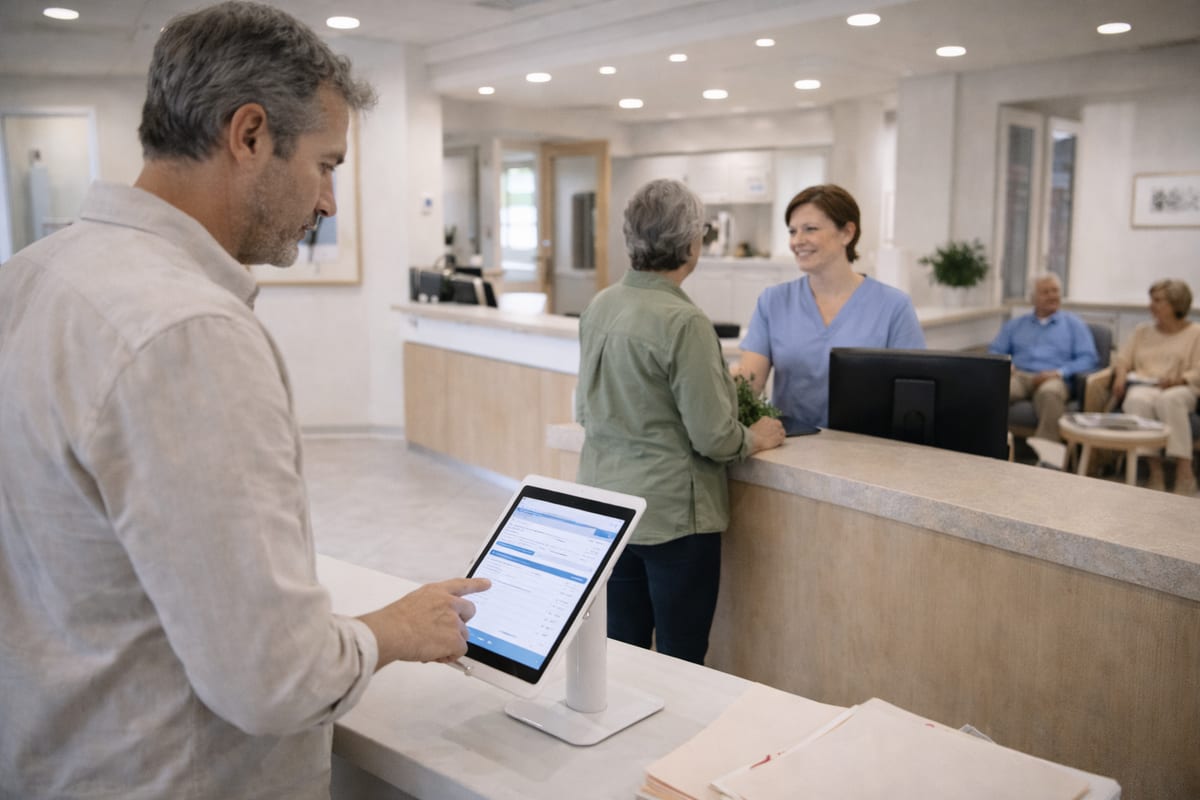
Reception team using streamlined digital check-in system at a modern clinic

What Your Practice Gets

A complete automation layer designed to reduce friction, not add complexity.

From Manual Chaos to Automated Precision - Without Disrupting Patient Care

1

Operations Audit (Week 1-2)

Shadow your team’s daily workflows and map every manual process from enquiry to post-consultation. Quantify the time and revenue cost of each bottleneck, then identify the highest-impact automation opportunities.

2

Workflow Design & Build (Week 2-4)

Design each automation workflow and build integrations. Configure reminder sequences and intake forms, set up task routing rules and escalation protocols. Every workflow is reviewed with your team before going live.

3

Testing & Go-Live (Week 3-5)

Parallel testing alongside existing processes. Train reception and administrative staff on new workflows with a phased rollout starting with the highest-impact automations. Close performance monitoring during the first two weeks.

4

Optimisation & Expansion (Ongoing)

Analyse automation performance data monthly and refine reminder timing based on your no-show patterns. Expand workflows to cover new services or locations while continuously improving conversion rates and staff efficiency.

FAQs

Common Questions About Operations Automation

How much can automation reduce no-shows at my practice?+
Most practices see a 40-60% reduction in no-shows within the first 60 days. Our multi-touchpoint reminder system uses SMS, email, and voice reminders timed to maximise attendance, combined with easy rescheduling options that fill cancelled slots automatically.
Will automation replace my reception staff?+
No. Automation handles the repetitive, time-consuming tasks that prevent your staff from delivering exceptional patient care. Your team spends less time on paperwork and phone tag, and more time on high-value interactions that build patient loyalty and drive revenue.
How long does it take to implement operations automation?+
Core automation workflows including appointment reminders, digital intake, and follow-up sequences are typically live within 14-21 days. More complex multi-location standardisation projects are phased over 4-8 weeks to ensure thorough testing and staff training.
Does this work with my existing practice management system?+
Yes. We integrate with the tools you already use - Cliniko, Dentally, PracticePal, Jane App, Google Calendar, Outlook, and dozens more. We layer automation on top of what your team already knows. No rip-and-replace required.

Pricing: Every practice is different. We provide bespoke quotes following a free discovery call, so we can accurately scope the work and deliver a proposal tailored to your needs. Book a discovery call →

Every Manual Task Is Costing You Time, Money, and Patients.

Book an operations review and we’ll show you exactly where automation will deliver the fastest return for your practice - with a clear implementation timeline and ROI projection.

Book Your Operations Review →